Pro Version Highlights
This page presents a few examples of advanced features available in the professional version of the iTop Portal. These features are not included in the open source version, but demonstrate the flexibility and potential of the system in real-world enterprise environments.
Dashboard
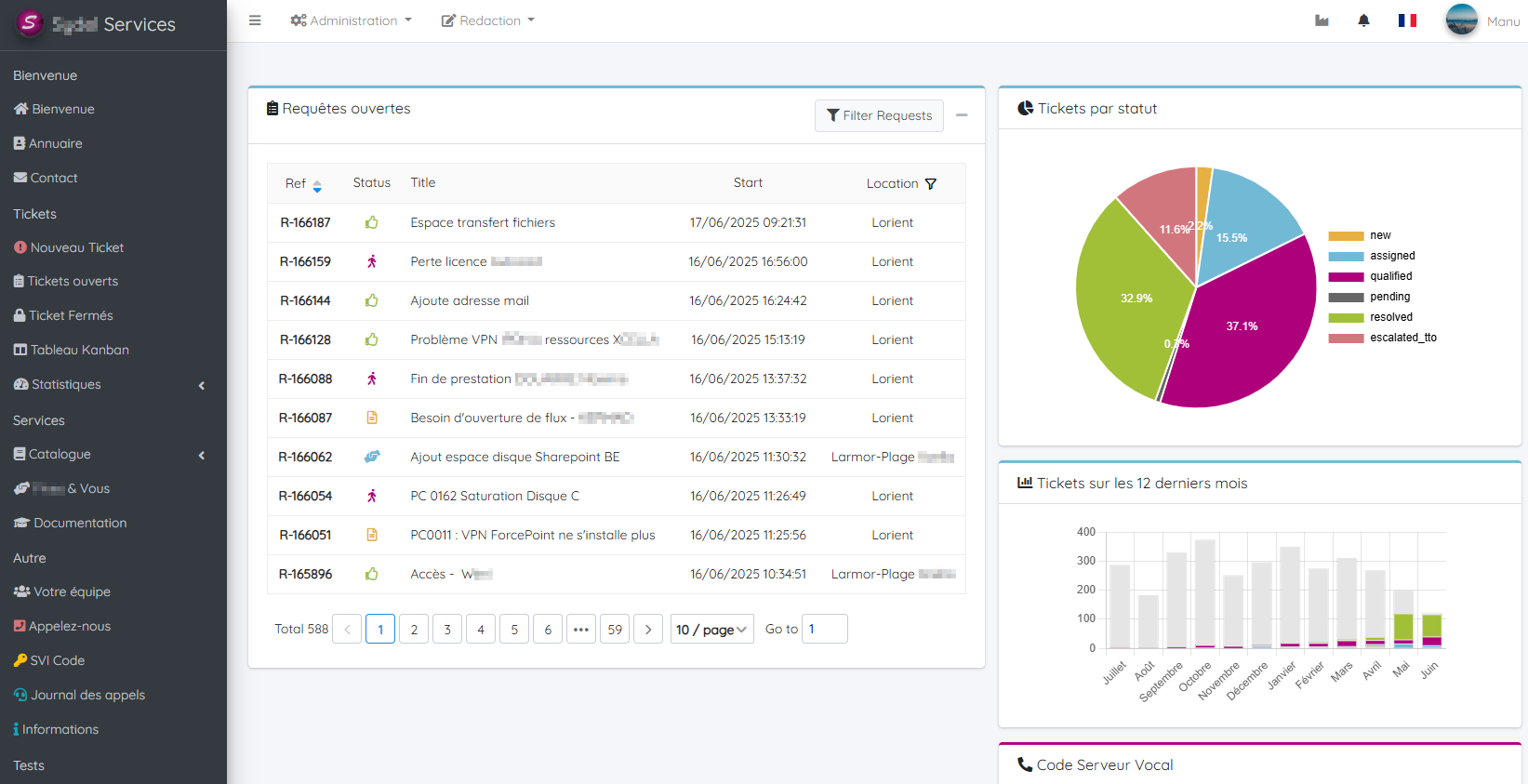
Another dashboard with information external to iTop
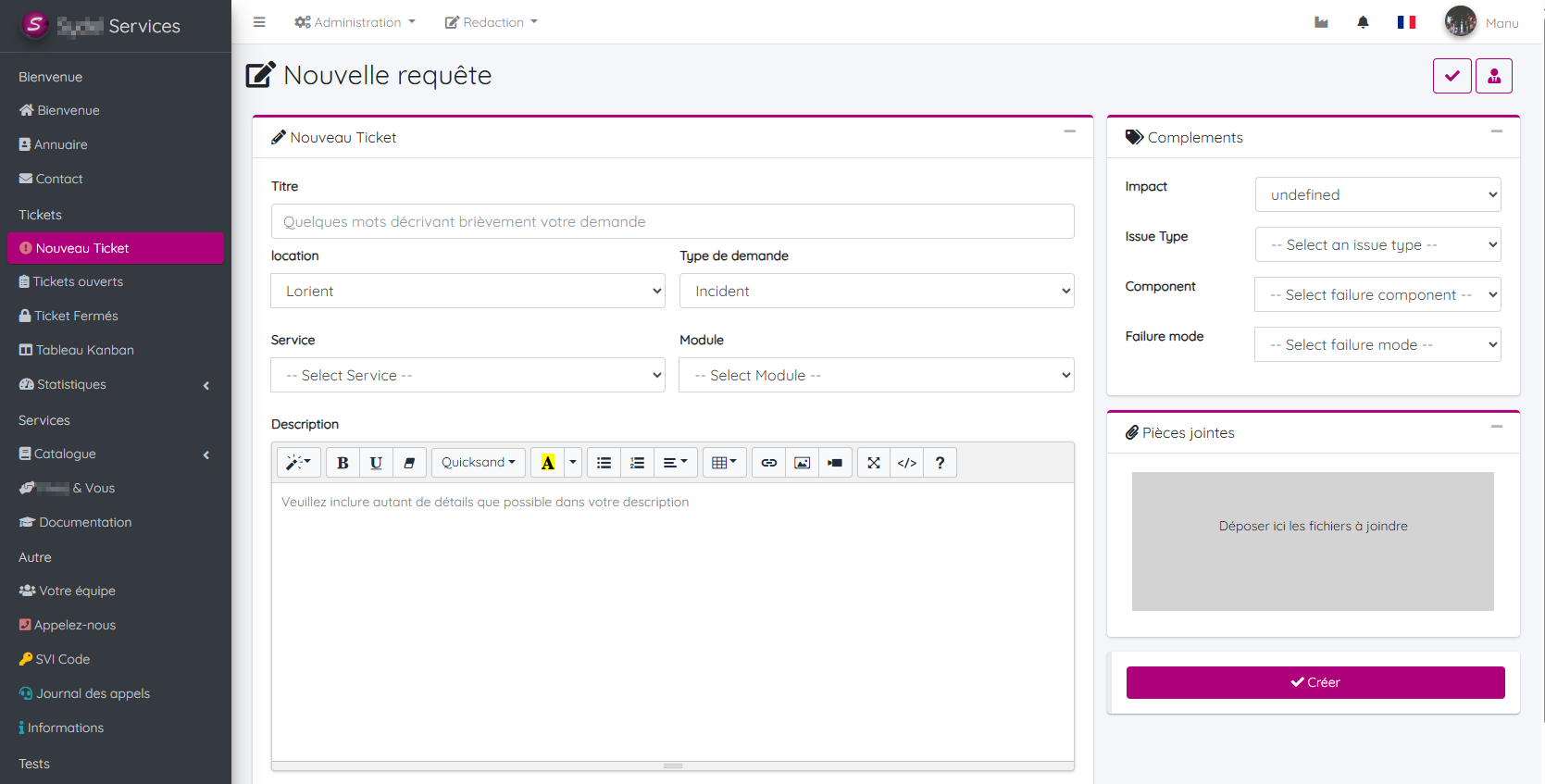
Expert Ticket Submission
The expert mode allows users to access additional fields when submitting a ticket, such as impacted CI, service level, or custom categories.
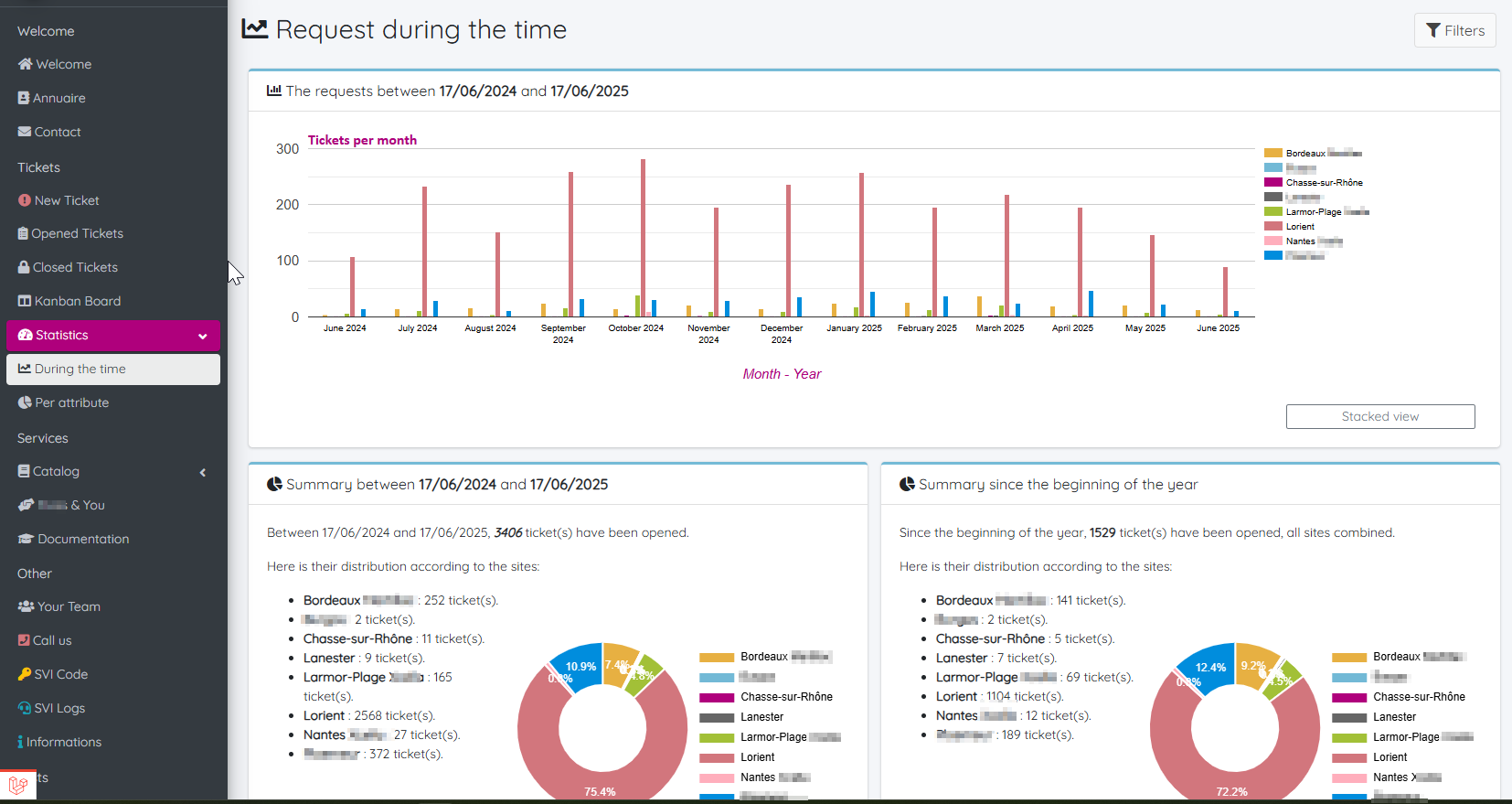
Bar Chart Statistics
Interactive bar charts display ticket trends over time, broken down by sites and across selectable time periods.
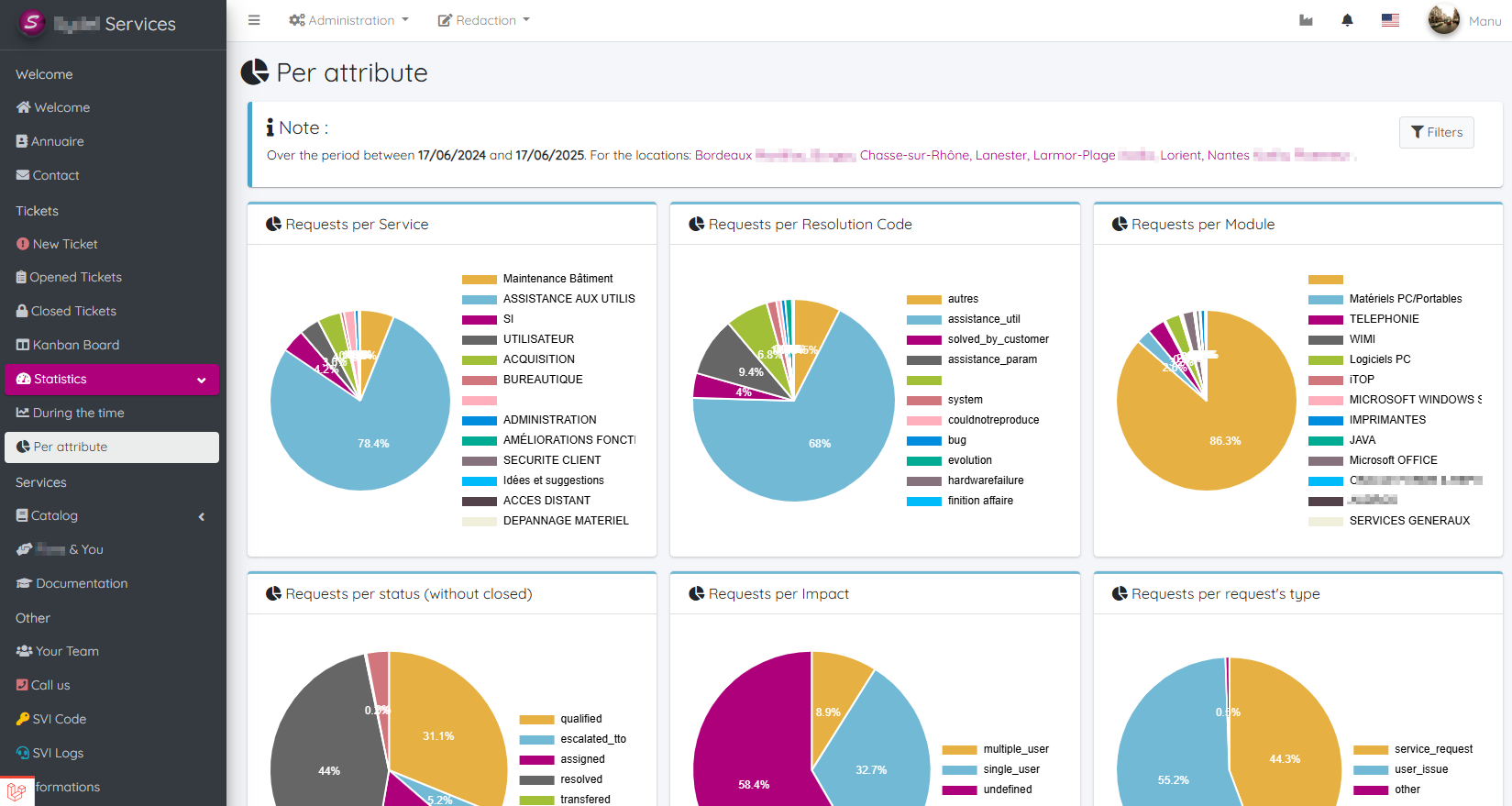
Pie Chart Statistics
Visual representation of ticket distribution by type, priority, or service using pie charts.
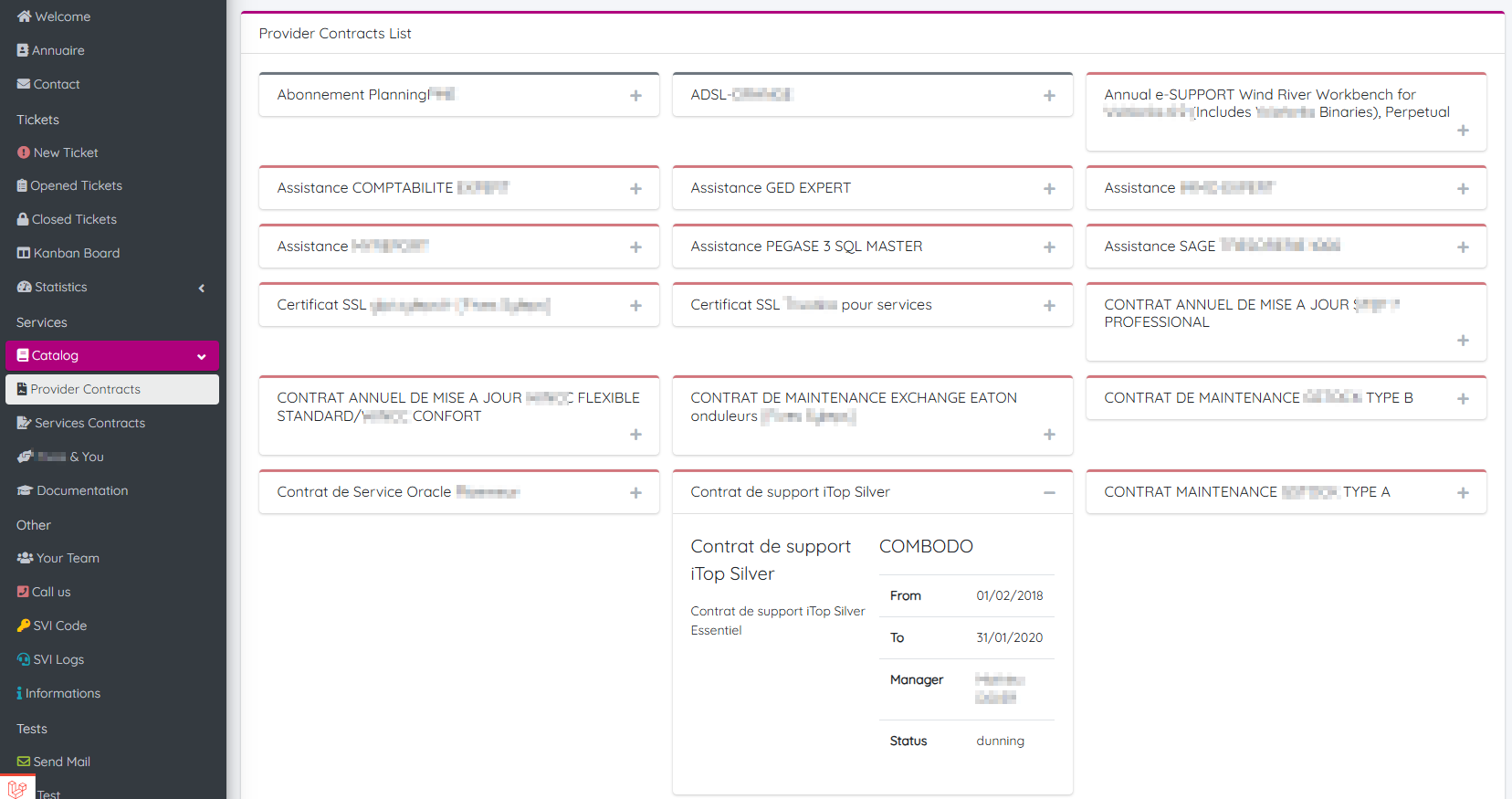
Service Contracts Listing
Users can view and browse their active service contracts directly from the portal.
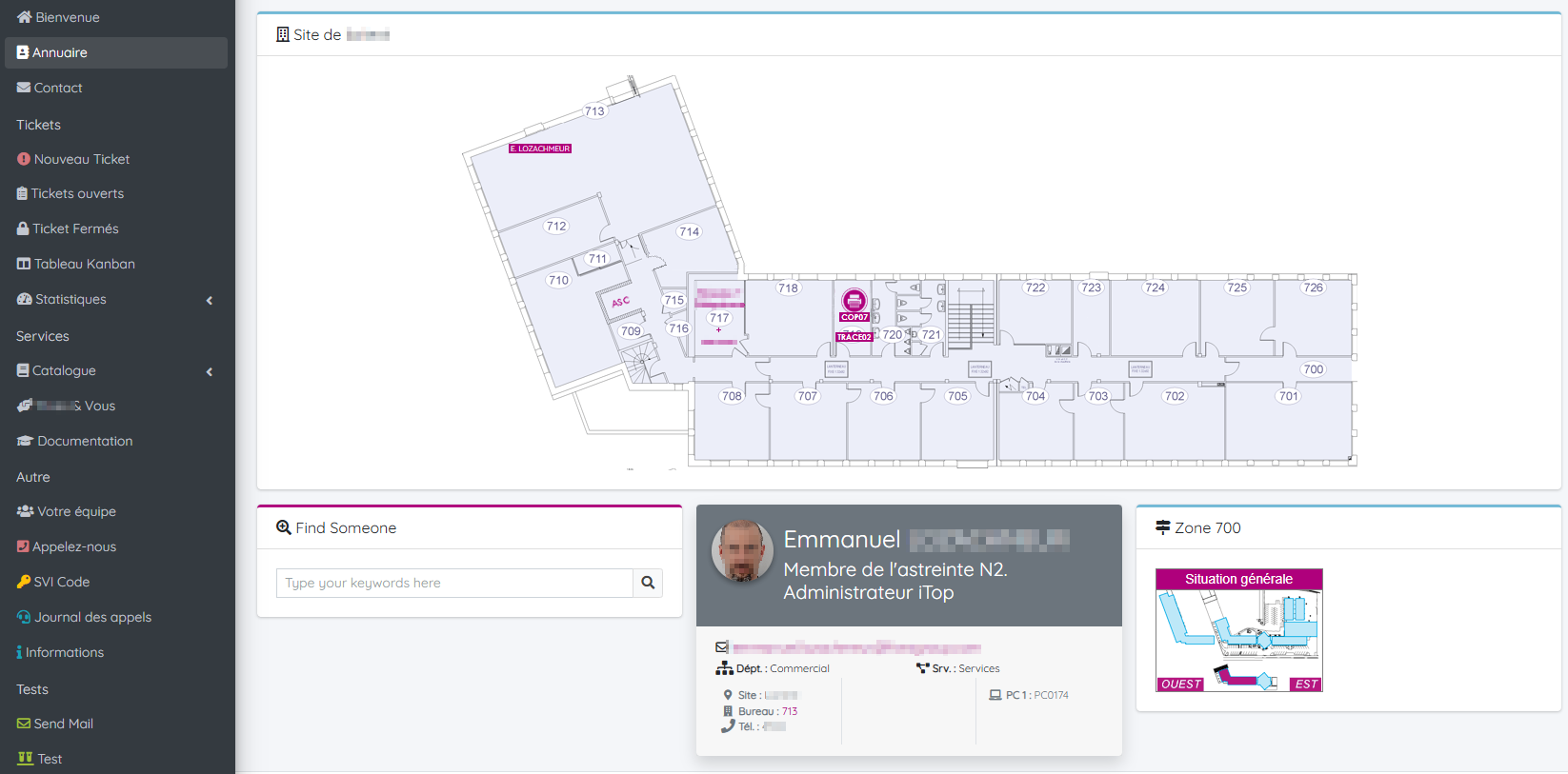
Company Directory and Floor Plan
A dynamic directory with employee photos and an interactive map of the organization — ideal for large-scale environments.
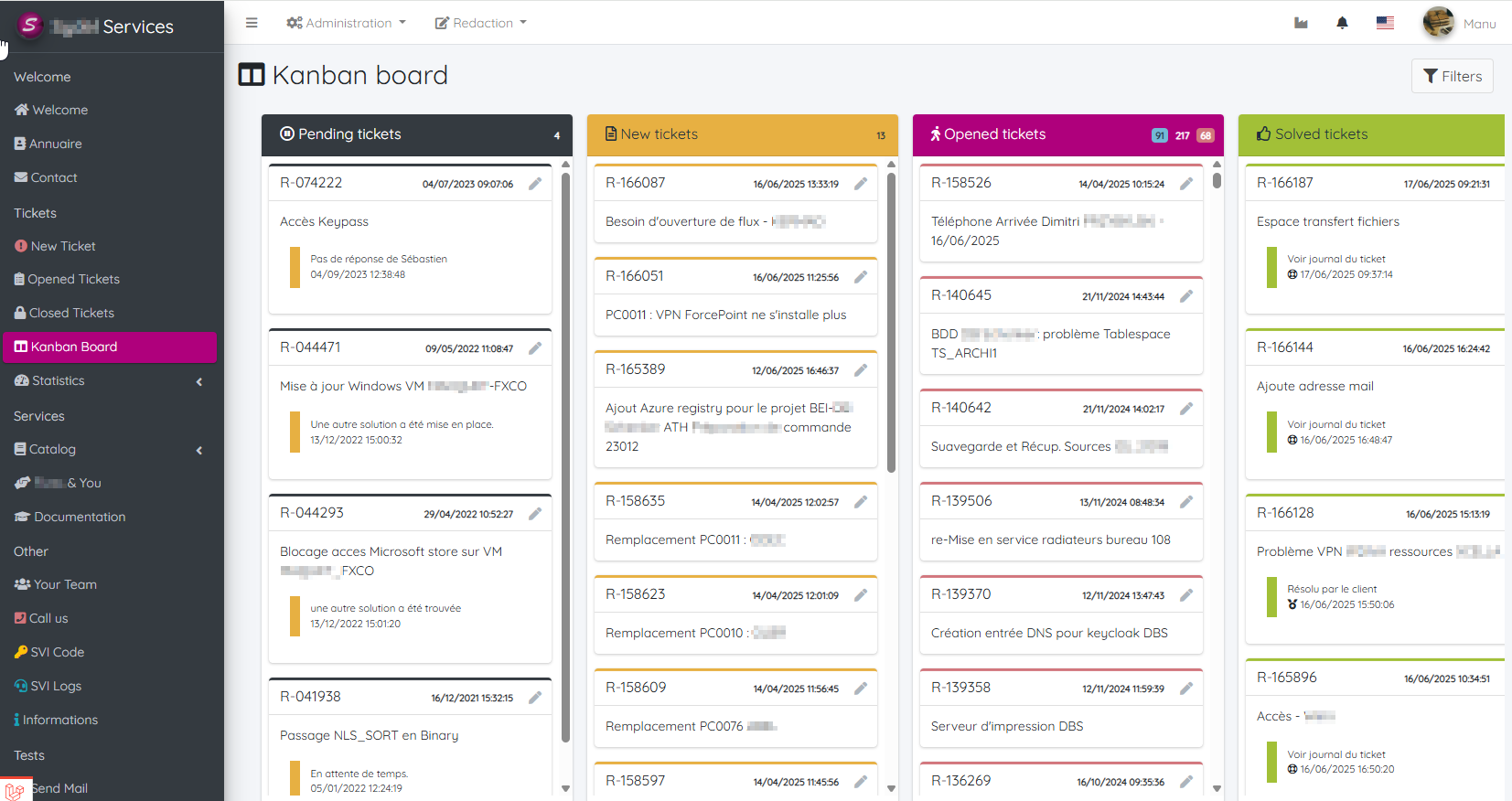
Kanban View
A kanban-style dashboard for following ticket progress, ideal for teams working in agile or visual workflows.
Integrated Documentation Module (Beta)
A simple internal documentation/blog module is available in the pro version (currently in beta). It allows teams to write and organize internal content such as procedures, notes, or announcements — all accessible directly from the portal.
- Lightweight and easy to use
- Organized by category or tags
- WYSIWYG editor supporting formatted text and syntax highlighting for code snippets
- Direct access from the portal menu
- Ideal for internal documentation, FAQs, or procedures
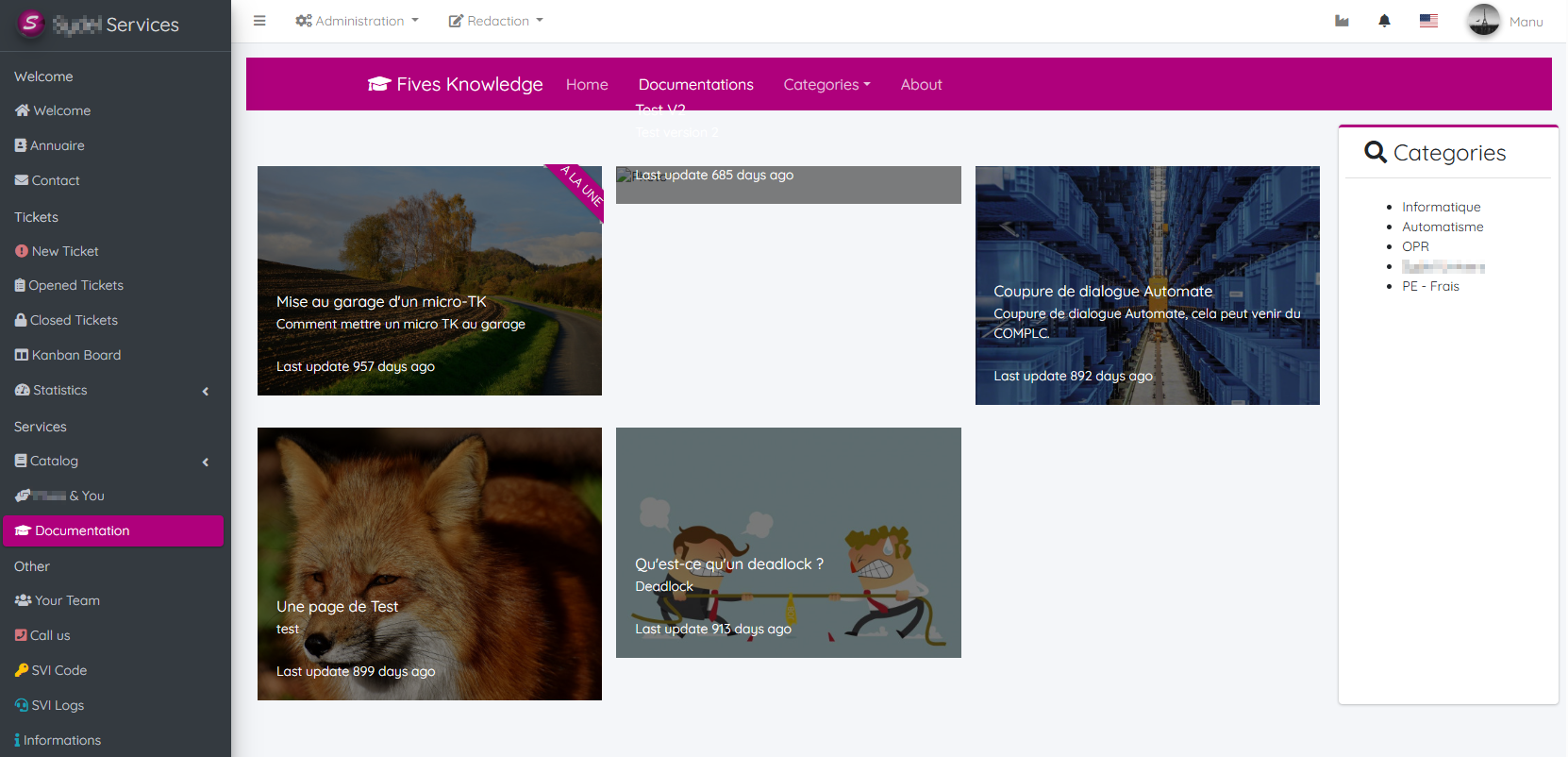
🚧 This feature is currently in beta and may evolve. It's designed to offer a lightweight alternative to external wikis by keeping essential knowledge close to your tools.